It’s that time again! Have questions about Always On VPN? Are you having a specific issue you can’t figure out? Need information about configuration options? Here’s your chance to get your questions answered! Join me next week on Thursday, June 29, 2023, at 10:00 AM PDT (UTC -7) for an opportunity to ask me anything (AMA!) about Microsoft Windows Always On VPN and related technologies.
The AMA will be an open forum session where we can all talk shop about Always On VPN. It’s a great chance to learn new things and share experiences with your peers. We’ll discuss known issues and limitations, best practices, and more.
Everyone is welcome. Don’t miss out on this excellent opportunity to connect and learn. Register today!
Can’t make the session? Register anyway and I’ll send you the link to the recording as soon as it is availalbe!
I’m excited to announce that I’ll be presenting at this year’s TechMentor IT training conference! The event takes place July 17-21, 2023, at the Microsoft headquarters in Redmond, Washington.
My Sessions
I will be delivering two talks at this year’s event.
In this talk, I’ll describe in detail how to deliver on-premises enterprise PKI certificates using Intune. We’ll cover all aspects of certificate delivery, including the Intune Certificate Connector configuration, device configuration profile options, advantages of PKCS over SCEP, and certificate template security best practices.
During this session, I’ll share many tips, tricks, and best practices for deploying and managing Always On VPN client configuration settings using Intune. I’ll explain the limitations of the Intune VPN profile template and how to work around them using custom XML. I will also describe how to use Intune Proactive Remediation to optimize Always On VPN client configuration settings post deployment.
Discount Code
Use the discount code Hicks and receive $400.00 off the standard pricing for the event. Don’t miss out on this opportunity to learn from some of the best IT pros in the business. Register today!
Let’s Connect!
If you’re attending TechMentor 2023 this year, let’s connect! I’ll be at the conference all week. Attend one of my sessions, join me on Thursday for a Table Topic lunch, or let’s grab a beer somewhere. Reach out to me and arrange some time!
This session will provide detailed configuration guidance and best practice recommendations for issuing on-premises enterprise PKI certificate using Microsoft Intune.
Attending MMS?
Will you be attending MMSMOA? Let’s connect! Drop in on my sessions, of course, but let’s plan to hang out! I will have copies of my book to give away too, so don’t miss out. Send me a note here or on Twitter, or just find me at the conference. Looking forward to seeing all of you soon!
It’s that time again! Have questions about Always On VPN? Are you having a specific issue you can’t figure out? Need information about configuration options? Here’s your chance to get your questions answered! Join me next week on Thursday, March 23, 2023, at 10:00 AM PDT (UTC -7) for an opportunity to ask me anything (AMA!) about Microsoft Windows Always On VPN and related technologies.
The AMA will be an open forum session where we can all talk shop about Always On VPN. It’s a great chance to learn new things and share experiences with your peers. We’ll discuss known issues and limitations, best practices, and more.
Update: Missed the session? You can watch it here!
Everyone is welcome. Don’t miss out on this excellent opportunity to connect and learn. Register today!
Can’t make the session? Register anyway and I’ll send you the link to the recording as soon as it is availalbe!
I’m pleased to announce that my popular Always On VPN Deep Dive Workshop training event is coming to the ViaMonstra Online Academy! Many of you have requested a virtual, live, online training event for Microsoft Always On VPN, so here’s your opportunity to learn all about this secure remote access technology without having to leave the comfort of your home or office.
Live and Online
This live, online 4-day virtual training event will take place April 10-13, 2023. The cost for the training is $3,195.00 and will include ten training modules and numerous hands-on labs. Don’t miss out on this excellent opportunity to learn more about designing, implementing, managing, and support Always On VPN. Space is limited, so register today!
Understanding Transport Layer Security (TLS) is essential for Always On VPN administrators. TLS (formerly Security Sockets Layer, or SSL) is used not only for Secure Socket Tunneling Protocol (SSTP), the protocol of choice for the Always On VPN user tunnel in most deployments, but many other technologies such as secure websites and email, Remote Desktop Protocol (RDP), secure LDAP (LDAPS), and many more. High-quality, affordable TLS training is challenging to find, however.
UPDATE! This course has been further discounted for a limited time. Details below!
Practical TLS
Thankfully, Ed Harmoush from Practical Networking has a fantastic training course called Practical TLS that meets these requirements. It is the most comprehensive TLS training course I’ve seen and is surprisingly affordable too!
The Practical TLS training course does not yet include a module on the newest TLS protocol, TLS 1.3. However, it is due out imminently! Ed is working on the content as we speak, and a preview module is included in the course today. Look for the final TLS 1.3 module soon.
Bonus Content
In addition to excellent TLS training, the course includes free OpenSSL training! Administrators working with certificates in non-Microsoft environments are sure to find this helpful. Understanding OpenSSL will benefit administrators working with network and security appliances such as firewalls and load balancers.
Enroll Now
The cost of the Practical TLS training course is regularly $297.00. It is a perpetual license, so you can view the content whenever you like and as often as you wish. You will also have access to future updates, such as the upcoming TLS 1.3 module. In addition, you can save $100.00 on the course by using promotional code RICHARDHICKS when you sign up. Don’t hesitate. Register for Practical TLS training now!
Special Discount
For a limited time, you can use the code PracticalTLS13 to get this entire course for just $49.00! This won’t last long, so register soon!
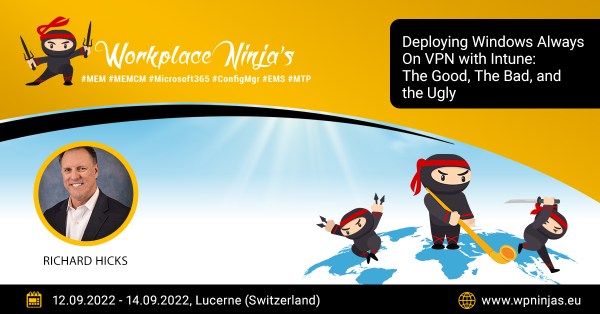
The Workplace Ninja Summit takes place from 12-14 September 2022 in Lucerne, Switzerland. The conference focuses on endpoint management and security with platforms such as System Center Configuration Manager (SCCM) and Microsoft Endpoint Manager/Intune.
Conference Sessions
If you are participating in the conference, be sure to attend one of my sessions! I’m delivering the following three talks during the event.
This session will explore the options for deploying enterprise PKI certificates using Intune. I’ll be sharing lots of security and implementation best practices.
This talk will dive into the options for deploying Always On VPN using Intune. I’ll be covering many tips, tricks, and best practices and shining a light on many limitations and shortcomings of using Intune for Always On VPN.
Join Me!
Unfortunately, the conference is sold out, so if you haven’t made arrangements to attend you’ll have to wait until next year. If you are attending, please be sure to say hello!
Microsoft Endpoint Manager (MEM), formerly Intune, is the recommended solution for deploying and managing Windows Always On VPN client configuration settings. Always On VPN is designed for Mobile Device Management (MDM), with configuration settings deployed specifically to the VPNv2 Configuration Service Provider (CSP) interface.
Resources
Getting up to speed on all things MEM isn’t difficult at all. I’ve found the MEM community to be exceedingly helpful, and there are many available training resources in various formats from which to choose.
Books
The following is a list of Microsoft Endpoint Manager books Always On VPN administrators will find most helpful for learning about MEM.
The Midwest Management Summit (MMS) is the premier event for systems management professionals. Their annual conference takes place each spring in the U.S. (Minneapolis, MN). The event is the best place to learn about Microsoft Endpoint Manager and network with systems management professionals worldwide.
Implementing Microsoft Windows Always On VPN, my latest video training course on Pluralsight is now available! This course provides comprehensive training for designing, implementing, and supporting a Windows Always On VPN solution. The course is nearly seven hours long (!) and covers all Always On VPN configuration aspects. The video training course covers the following Always On VPN topics.
The two most common VPN protocols used with Always On VPN are Internet Key Exchange version 2 (IKEv2) and Secure Socket Tunneling Protocol (SSTP). Each protocol has its advantages and disadvantages. For example, IKEv2 has better security options, but SSTP is more firewall-friendly and reliable.
IKEv2 with SSTP Fallback
Instead of selecting one protocol over the other, some administrators may choose to configure Always On VPN to prefer IKEv2, then fall back to SSTP if IKEv2 is unavailable. Unfortunately, there is no way to configure this using Intune, XML, or PowerShell. To change this setting, the administrator must update the VPN configuration file (rasphone.pbk) and change the value of VpnStrategy to 14. While editing a text file is easy, doing it at scale is more complicated. The setting can be changed using Intune proactive remediation or a PowerShell script. However, it’s even easier using Always On VPN DPC. Simply enable the VPN Protocol advanced setting in group policy and choose IKEv2 First, SSTP Fallback.
Interface Metric
Another common problem Always On VPN administrators encounter is name resolution, specifically when the endpoint uses a wired local connection. Here, name resolution queries may fail or return incorrect IP addresses. This happens because the wired connection has a lower network interface metric than the VPN tunnel adapter. Once again, there is no option for changing this setting using Intune or XML. Administrators can update the interface metrics using PowerShell, but it is not persistent. To fully resolve this, the administrator must edit the rasphone.pbk file. With Always On VPN DPC, enable the VPN Tunnel Metric group policy setting and enter a value lower than the wired connection to solve this problem.
IKE Mobility
The Windows VPN client includes support for IKE Mobility, which allows an IKEv2 VPN connection to reconnect automatically after a loss of network connectivity. IKE Mobility is enabled by default, and the network outage time is set to 30 minutes. However, this setting can have negative side effects, especially when VPN servers are behind a load balancer. Reducing the network outage time or disabling it completely can improve failover if a VPN server goes offline. Here again, this setting cannot be changed using Intune, XML, or PowerShell; it is only configurable in rasphone.pbk. With Always On VPN DPC, enable the Network Outage Time advanced setting in group policy and choose a value that meets your requirements.
Exclusion Routes for Office 365
Force tunneling ensures that all network traffic on the client is routed over the VPN tunnel, including Internet traffic. However, Always On VPN supports exclusion routes which allow administrators to exempt selected traffic from the VPN tunnel when force tunneling is enabled. Commonly this is configured for trusted cloud applications like Microsoft Office 365. Defining exclusion routes for cloud services is more complicated than it sounds. Many cloud services, including Microsoft Office 365, have multiple IP addresses that are constantly changing. This makes keeping Always On VPN clients updated with the correct list of IP address exclusions quite challenging. With Always On VPN DPC, administrators can enable the Exclude Office 365 from VPN group policy setting, allowing the endpoint to automatically configure the necessary exclusion routes for Office 365 IP addresses. Importantly, Always On VPN DPC periodically monitors this list of IP addresses and ensures that endpoints are continually updated with Office 365 exclusion routes as they change to ensure reliable connectivity.
IP Routing
Always On VPN administrators must define which IP addresses and networks are routed over the VPN tunnel when split tunneling is enabled. However, Intune has a known issue that may pose a challenge in some environments.
IPv6
Although IPv4 routes can be configured using the Intune UI, IPv6 routes cannot. This is because the Intune UI does not correctly validate the default IPv6 prefix length, insisting that the administrator use a value between 1 and 32. 🤦♂️
However, the Always On VPN DPC Allowed Routes group policy setting happily accepts the proper IPv6 prefix.
Route Metrics
In addition, there is no option to define the metric values for routes configured using Intune. Assigning non-default route metrics is required to resolve routing conflicts in some scenarios. Defining route metrics requires custom XML. The Always On VPN DPC Route Metric group policy settings allow administrators to define route metrics as required.
Are you interested in learning more about PowerON Platforms Always On VPN DPC? Fill out the form below, and I’ll contact you with more information. In addition, you can visit aovpndpc.com to register for an evaluation license.